

I know you are going to have a lot of information contained on your smartphone this season, and you won’t want any prying eyes to see what you are doing, watching, or even your bank details. This is the more reason why this article will be valuable to you.
I’m going to show you a feature that already existed on your Tecno smartphone, but some of you rarely use it. On HiOS custom interface devices, we have a feature that allows you to Hide Apps so other users can’t have access to them.
The feature was initially removed from the previous HiOS update but now, the current update has restored it, so every Tecno user should try it out.
With this feature, you could just select one or more apps and hide them so nobody can access them.
How to Hide Apps on Your Tecno Smartphones
Setting up this feature is very simple. Just swipe up with 2 fingers on your Home Screen and your hidden screen is unveiled.
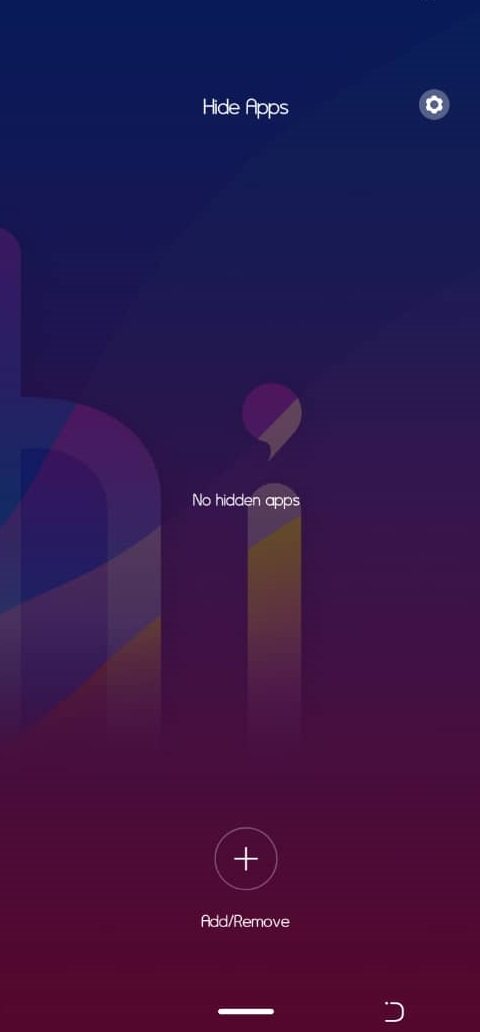
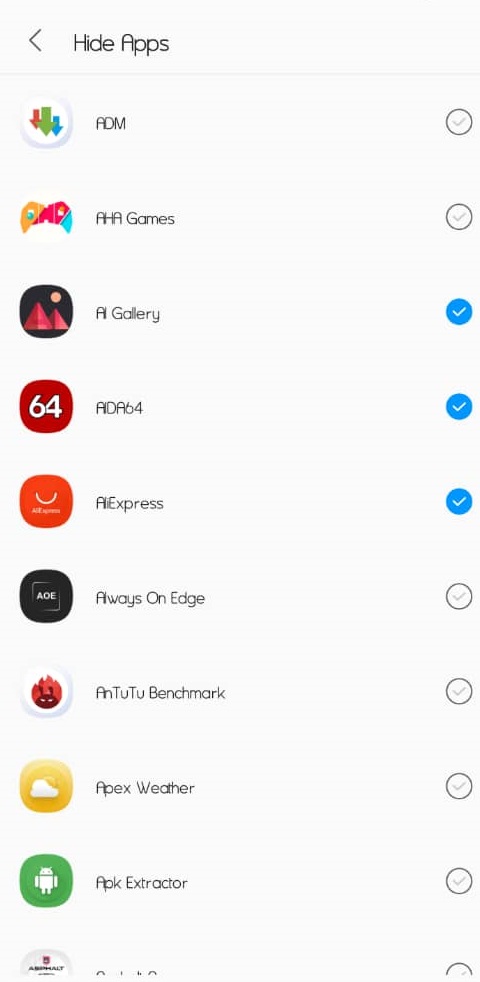
>>Click on Add/Remove and select the app(s) you want to hide.
>>Click on the settings icon, this allows you to set a coded pattern to access the hidden app page.
I think you should try it now!
For other smartphone brands, I’m going to create a post on how to hide apps on your smartphone, so simple.
The post How to Hide Apps on Tecno Smartphones appeared first on Wealth Creation.
Source - Wealth Creation https://ift.tt/38RE1VE




No comments:
Post a Comment
Dear reader, what do you have to say about this article?