
<p class="wp-block-paragraph"><strong>Have you ever lost your phone and suddenly realised that some of your important files, videos, documents and notes were stored only on that device?</strong></p>
<p class="wp-block-paragraph">There is a simple Telegram trick that can help you keep your important files accessible across multiple devices without buying a traditional cloud storage subscription.</p>
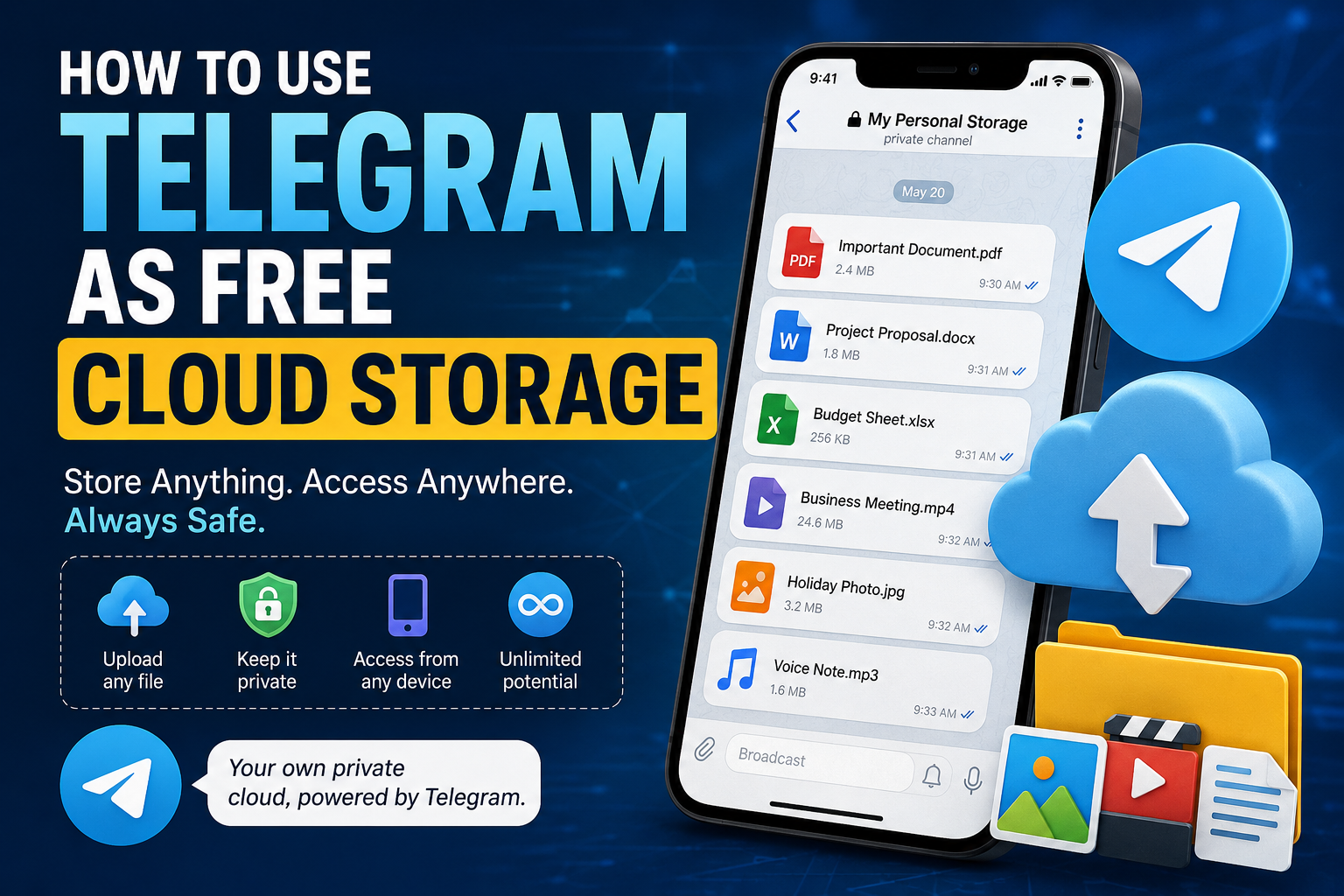
<p class="wp-block-paragraph">The trick is to use a <strong>private Telegram channel or group as your personal digital storage space</strong>.</p>
<p class="wp-block-paragraph">Telegram allows users to send files, photos, videos, documents and messages to themselves or keep them inside private spaces that can be accessed whenever they log into their account.</p>
<figure class="wp-block-image size-full"><img fetchpriority="high" decoding="async" width="1536" height="1024" src="https://www.yomiprof.net/wp-content/uploads/2026/08/file_000000009e0081f487c87de9379c9a71.png" alt="Telegram cloud storage " class="wp-image-24715" srcset="https://www.yomiprof.net/wp-content/uploads/2026/08/file_000000009e0081f487c87de9379c9a71.png 1536w, https://www.yomiprof.net/wp-content/uploads/2026/08/file_000000009e0081f487c87de9379c9a71-768x512.png 768w" sizes="(max-width: 1536px) 100vw, 1536px" /></figure>
<p class="wp-block-paragraph">Here is how it works.</p>
<h2 class="wp-block-heading">How to Use Telegram as Cloud Storage</h2>
<h3 class="wp-block-heading">1. Install Telegram</h3>
<p class="wp-block-paragraph">First, download and install the <strong>Telegram app</strong> on your Android phone, iPhone, tablet or computer.</p>
<p class="wp-block-paragraph">Create an account using your phone number and complete the verification process.</p>
<p class="wp-block-paragraph">Once your account is ready, you can access your Telegram content from multiple devices.</p>
<h3 class="wp-block-heading">2. Create a Private Channel or Group</h3>
<p class="wp-block-paragraph">Create a <strong>private Telegram channel</strong> or private group.</p>
<p class="wp-block-paragraph">Give it a name that makes it easy to identify, such as:</p>
<ul class="wp-block-list">
<li>My Personal Storage</li>
<li>Important Files</li>
<li>Documents Backup</li>
<li>Personal Cloud</li>
<li>Phone Backup</li>
</ul>
<p class="wp-block-paragraph">A private channel is particularly convenient because you can use it as a personal archive for your files.</p>
<h3 class="wp-block-heading">3. Keep the Space Private</h3>
<p class="wp-block-paragraph">If you created a group, remove other members so that only you have access.</p>
<p class="wp-block-paragraph">For a private channel, make sure you don’t share the invite link with other people.</p>
<p class="wp-block-paragraph">This gives you a private place where you can organise your files, notes and other digital content.</p>
<h3 class="wp-block-heading">4. Upload Your Files</h3>
<p class="wp-block-paragraph">Now comes the useful part.</p>
<p class="wp-block-paragraph">Upload the files you want to keep.</p>
<p class="wp-block-paragraph">You can store things such as:</p>
<ul class="wp-block-list">
<li>PDF documents</li>
<li>Word documents</li>
<li>Photos</li>
<li>Videos</li>
<li>Audio files</li>
<li>APK files</li>
<li>Receipts</li>
<li>Notes</li>
<li>School documents</li>
<li>Work files</li>
<li>Important screenshots</li>
<li>Personal records</li>
</ul>
<p class="wp-block-paragraph">You can also add text messages to your private space, making it useful for storing quick notes and information you may need later.</p>
<h3 class="wp-block-heading">5. Access Your Files From Another Device</h3>
<p class="wp-block-paragraph">Suppose you lose your phone, buy a new one or need to use your files from a computer.</p>
<p class="wp-block-paragraph">Simply install Telegram and log into the <strong>same account</strong>.</p>
<p class="wp-block-paragraph">Your Telegram content will be available on the new device, allowing you to access or download the files you previously uploaded.</p>
<p class="wp-block-paragraph">This is one reason Telegram can be useful as a convenient personal file repository.</p>
<h2 class="wp-block-heading">Is Telegram Really Unlimited Cloud Storage?</h2>
<p class="wp-block-paragraph">This is where you need to be careful with the wording.</p>
<p class="wp-block-paragraph">Telegram can function <strong>like a personal cloud-based file storage system</strong>, but it isn’t necessarily a replacement for dedicated cloud-storage services in every situation.</p>
<p class="wp-block-paragraph">Telegram stores your cloud chats and associated media on its servers, allowing you to access them from multiple devices.</p>
<p class="wp-block-paragraph">However, there are limits on individual file sizes and other service restrictions that can change over time.</p>
<p class="wp-block-paragraph">So, rather than thinking of Telegram as literally “unlimited cloud storage,” it is more accurate to think of it as a <strong>convenient cloud-based place to keep and access files</strong>.</p>
<h2 class="wp-block-heading">Why This Telegram Trick Is Useful</h2>
<h3 class="wp-block-heading">You Can Access Files From Multiple Devices</h3>
<p class="wp-block-paragraph">One of the biggest advantages is accessibility.</p>
<p class="wp-block-paragraph">You can upload a document from your phone and later access it from a computer, tablet or another phone by logging into your Telegram account.</p>
<h3 class="wp-block-heading">You Don’t Need a Flash Drive</h3>
<p class="wp-block-paragraph">Instead of carrying important documents around on a USB flash drive, you can keep copies in your private Telegram space.</p>
<p class="wp-block-paragraph">This can be particularly useful when you frequently move between devices.</p>
<h3 class="wp-block-heading">It’s Convenient for Personal Files</h3>
<p class="wp-block-paragraph">Telegram makes it easy to search through your messages and find files you previously uploaded.</p>
<p class="wp-block-paragraph">You can also organise your files using separate channels or groups if you have a large collection.</p>
<h3 class="wp-block-heading">It’s Useful When Changing Phones</h3>
<p class="wp-block-paragraph">Getting a new phone doesn’t necessarily mean starting from scratch.</p>
<p class="wp-block-paragraph">After installing Telegram and signing into your account, your cloud-based Telegram content can be accessed again.</p>
<h2 class="wp-block-heading">You Can Use Telegram for More Than Documents</h2>
<p class="wp-block-paragraph">Many people think of Telegram primarily as a messaging app, but its file-sharing capabilities make it useful for much more.</p>
<p class="wp-block-paragraph">For example, you could create separate private channels for:</p>
<p class="wp-block-paragraph"><strong>Documents:</strong><br>Store PDFs, certificates, receipts and other important documents.</p>
<p class="wp-block-paragraph"><strong>Photos:</strong><br>Keep selected pictures you want to access from different devices.</p>
<p class="wp-block-paragraph"><strong>Videos:</strong><br>Store videos you may want to download later.</p>
<p class="wp-block-paragraph"><strong>Work:</strong><br>Keep project files, notes and resources together.</p>
<p class="wp-block-paragraph"><strong>Blogging:</strong><br>Store article drafts, images, SEO research and other content.</p>
<p class="wp-block-paragraph"><strong>Personal notes:</strong><br>Keep ideas, reminders and information you don’t want to lose.</p>
<h2 class="wp-block-heading">Important: Don’t Use Telegram as Your Only Backup</h2>
<p class="wp-block-paragraph">Although this trick is convenient, <strong>don’t rely on Telegram as your only backup for extremely important files</strong>.</p>
<p class="wp-block-paragraph">For critical documents, it is better to maintain multiple copies using different storage methods.</p>
<p class="wp-block-paragraph">For example, you could keep:</p>
<ol class="wp-block-list">
<li>One copy on your computer.</li>
<li>One copy on an external drive.</li>
<li>One copy in a reputable cloud-storage service.</li>
<li>A Telegram copy for convenient access.</li>
</ol>
<p class="wp-block-paragraph">This follows the basic <strong>3-2-1 backup principle</strong>: keep multiple copies of important data and avoid having everything dependent on a single service or device.</p>
<h2 class="wp-block-heading">Be Careful With Sensitive Information</h2>
<p class="wp-block-paragraph">Before uploading sensitive documents to any online platform, think about the privacy implications.</p>
<p class="wp-block-paragraph">Avoid casually uploading highly sensitive information such as passwords, banking PINs or confidential credentials.</p>
<p class="wp-block-paragraph">Also protect your Telegram account with strong security features, including <strong>two-step verification</strong>, and make sure you have access to the phone number or recovery information associated with your account.</p>
<h2 class="wp-block-heading">How to Organise Your Telegram Cloud Storage</h2>
<p class="wp-block-paragraph">If you plan to use Telegram regularly for storing files, organisation will save you a lot of time.</p>
<p class="wp-block-paragraph">Instead of dumping everything into one place, create categories.</p>
<p class="wp-block-paragraph">For example:</p>
<p class="wp-block-paragraph"><strong><img src="https://s.w.org/images/core/emoji/17.0.2/72x72/1f4c1.png" alt="📁" class="wp-smiley" style="height: 1em; max-height: 1em;" /> Documents</strong><br>Certificates, receipts, PDFs and official documents.</p>
<p class="wp-block-paragraph"><strong><img src="https://s.w.org/images/core/emoji/17.0.2/72x72/1f4c1.png" alt="📁" class="wp-smiley" style="height: 1em; max-height: 1em;" /> Work</strong><br>Work-related documents and files.</p>
<p class="wp-block-paragraph"><strong><img src="https://s.w.org/images/core/emoji/17.0.2/72x72/1f4c1.png" alt="📁" class="wp-smiley" style="height: 1em; max-height: 1em;" /> Photos</strong><br>Important photographs and images.</p>
<p class="wp-block-paragraph"><strong><img src="https://s.w.org/images/core/emoji/17.0.2/72x72/1f4c1.png" alt="📁" class="wp-smiley" style="height: 1em; max-height: 1em;" /> Videos</strong><br>Videos you want to keep.</p>
<p class="wp-block-paragraph"><strong><img src="https://s.w.org/images/core/emoji/17.0.2/72x72/1f4c1.png" alt="📁" class="wp-smiley" style="height: 1em; max-height: 1em;" /> Blog</strong><br>Articles, graphics, research materials and content ideas.</p>
<p class="wp-block-paragraph">You can also use descriptive captions when uploading files so they are easier to identify later.</p>
<h2 class="wp-block-heading">Final Thoughts</h2>
<p class="wp-block-paragraph">Your phone doesn’t have to be the only place where your important files live.</p>
<p class="wp-block-paragraph">With Telegram, you can create a private space where you keep documents, photos, videos, notes and other files and access them from different devices.</p>
<p class="wp-block-paragraph">The biggest advantage is <strong>convenience</strong>.</p>
<p class="wp-block-paragraph">Lose your phone? Get another one.</p>
<p class="wp-block-paragraph">Buy a new laptop? Log into Telegram.</p>
<p class="wp-block-paragraph">Need an old document while away from home? Open Telegram and find it.</p>
<p class="wp-block-paragraph">Just remember that Telegram should be viewed as a <strong>convenient cloud-based file repository rather than a complete replacement for a proper backup strategy</strong>.</p>
<p class="wp-block-paragraph">And that’s the simple Telegram trick many people don’t know about.</p>
<h3 class="wp-block-heading">Frequently Asked Questions</h3>
<p class="wp-block-paragraph"><strong>Can I use Telegram as cloud storage?</strong></p>
<p class="wp-block-paragraph">Yes. Telegram’s cloud-based chats allow you to store and access files from multiple devices, making it useful as a personal file-storage solution.</p>
<p class="wp-block-paragraph"><strong>Is Telegram cloud storage free?</strong></p>
<p class="wp-block-paragraph">Telegram provides cloud-based storage functionality as part of its service, although file-size limits and other restrictions apply.</p>
<p class="wp-block-paragraph"><strong>Can I access my Telegram files after changing phones?</strong></p>
<p class="wp-block-paragraph">Yes. When you sign into the same Telegram account on a new device, your cloud chats and their available media can be accessed again.</p>
<p class="wp-block-paragraph"><strong>Can I store videos on Telegram?</strong></p>
<p class="wp-block-paragraph">Yes. Telegram supports sharing and storing video files, subject to its applicable file-size limits.</p>
<p class="wp-block-paragraph"><strong>Is Telegram a replacement for Google Drive or other cloud storage services?</strong></p>
<p class="wp-block-paragraph">Not necessarily. Telegram is excellent for convenient file access and sharing, but dedicated cloud-storage services may provide better tools for structured file management, collaboration and backup.</p>
<p class="wp-block-paragraph"><strong>Should I keep my important documents only on Telegram?</strong></p>
<p class="wp-block-paragraph">No. For irreplaceable documents, maintain multiple backups across different storage methods and services.</p>
<p class="wp-block-paragraph"></p>
<p>The post <a href="https://www.yomiprof.net/2026/08/how-to-use-telegram-as-free-cloud-storage-to-store-your-files.html">How to Use Telegram as Free Cloud Storage to Store Your Files</a> appeared first on <a href="https://www.yomiprof.net">Wealth Creation</a>.</p>
Source - Wealth Creation https://ift.tt/wHedQxy





No comments:
Post a Comment
Dear reader, what do you have to say about this article?